Mihua Design: From Requirements to Production-Ready Frontend
Mihua Design connects product rules, AI generation, visual editing, and real React projects so teams can create, refine, and deliver business frontends.
Fan Mihua
Cross-domain Designer
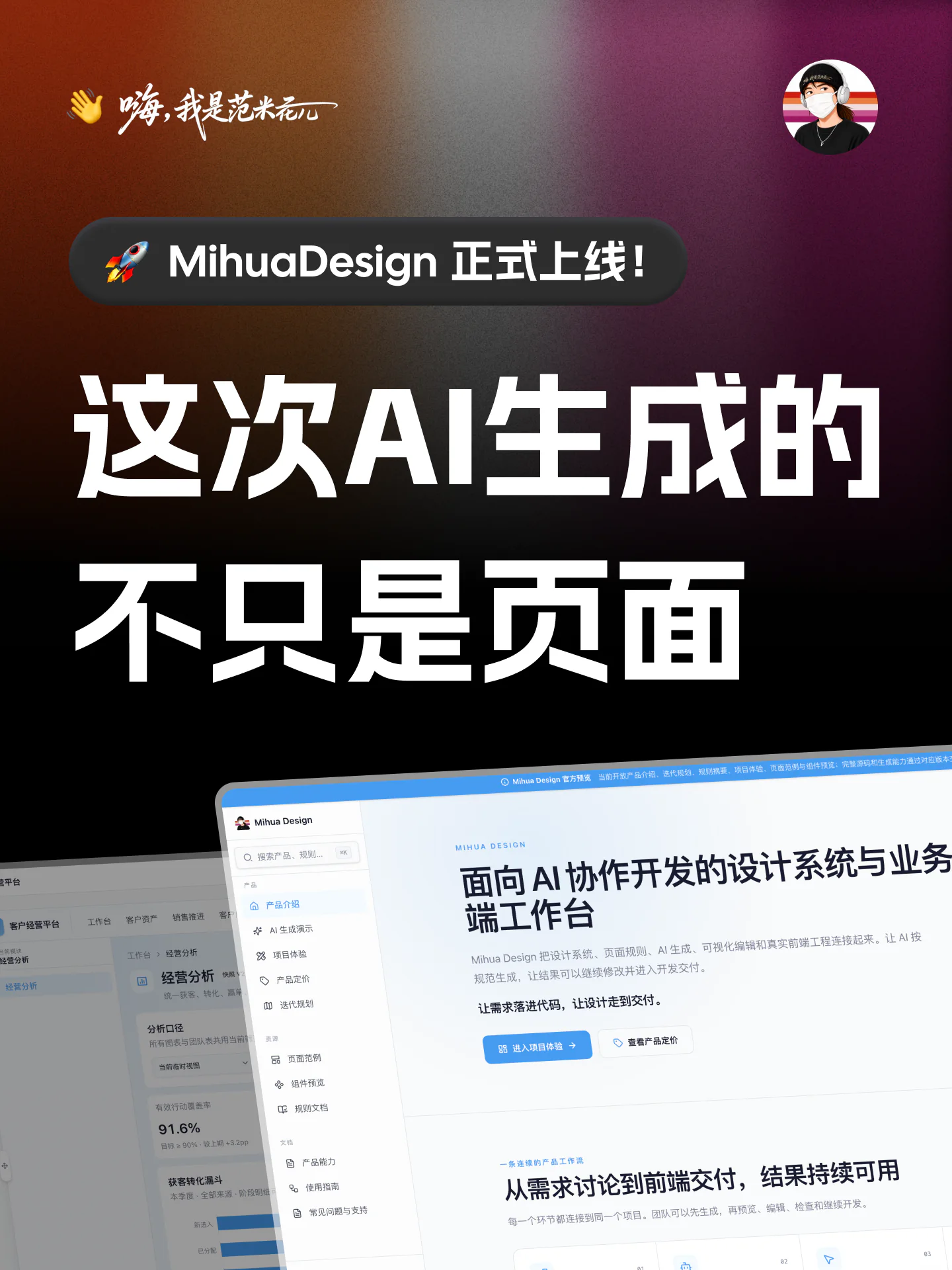
AI can generate interface screens in minutes. Product delivery still requires a shared design foundation, connected page flows, business states, responsive behavior, maintainable code, and engineering validation.
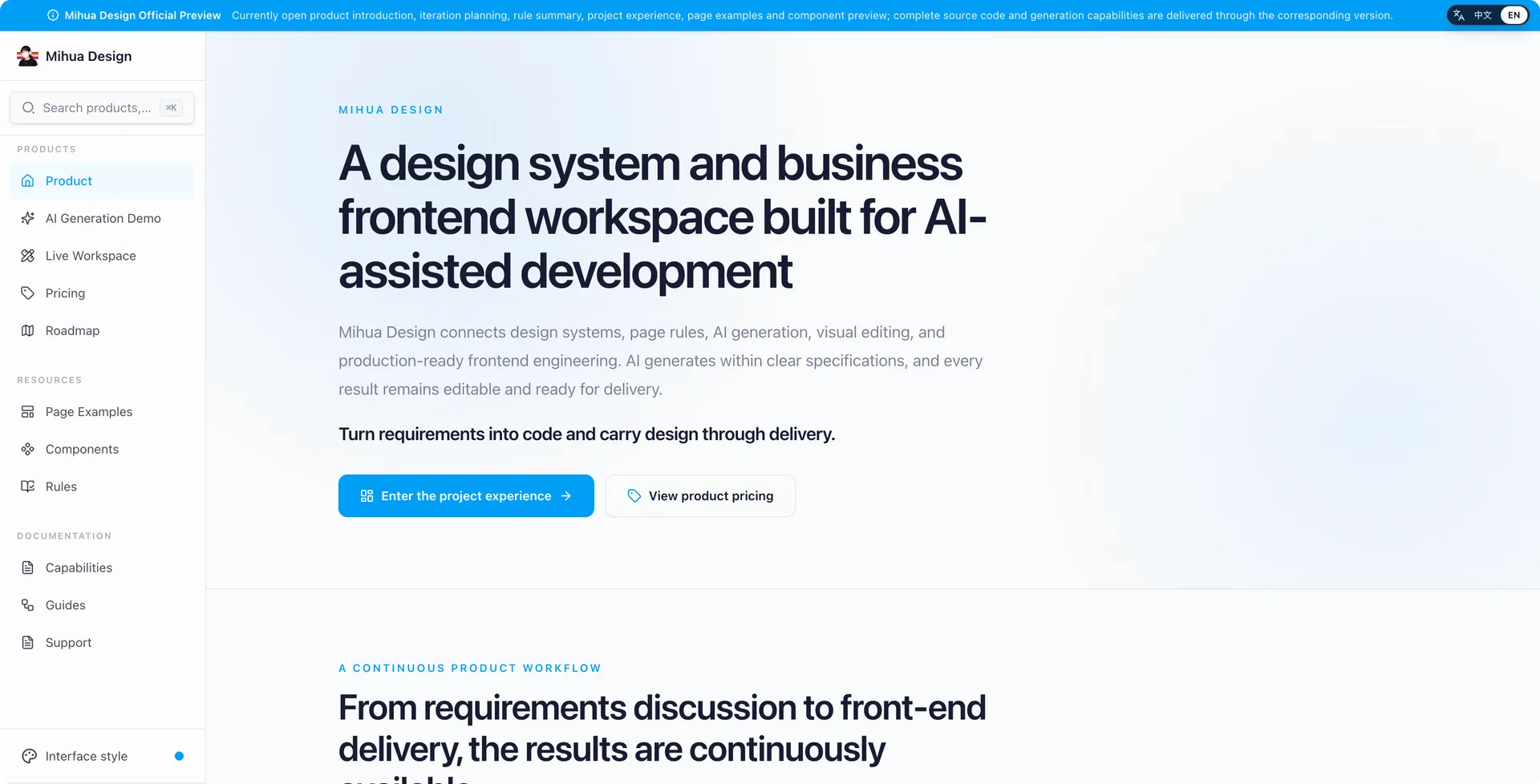
Mihua Design is a design system and business frontend workspace for AI-assisted development. It connects product rules, AI generation, visual editing, and real React projects so generated work can be refined, reviewed, and delivered.
Turn requirements into code and carry design through delivery.
Why Mihua Design Exists
Teams often encounter the same gaps between generation and delivery:
- AI can call components without understanding the team's page rules or business patterns.
- A single screen may look complete while the wider product lacks connected workflows.
- Generated pages can be previewed, yet later edits do not reliably remain in the real codebase.
- Production still requires APIs, permissions, tests, deployment, and operational integration.
Mihua Design keeps generated products consistent, editable, verifiable, and ready to continue through real frontend development.
One Continuous Product Workflow
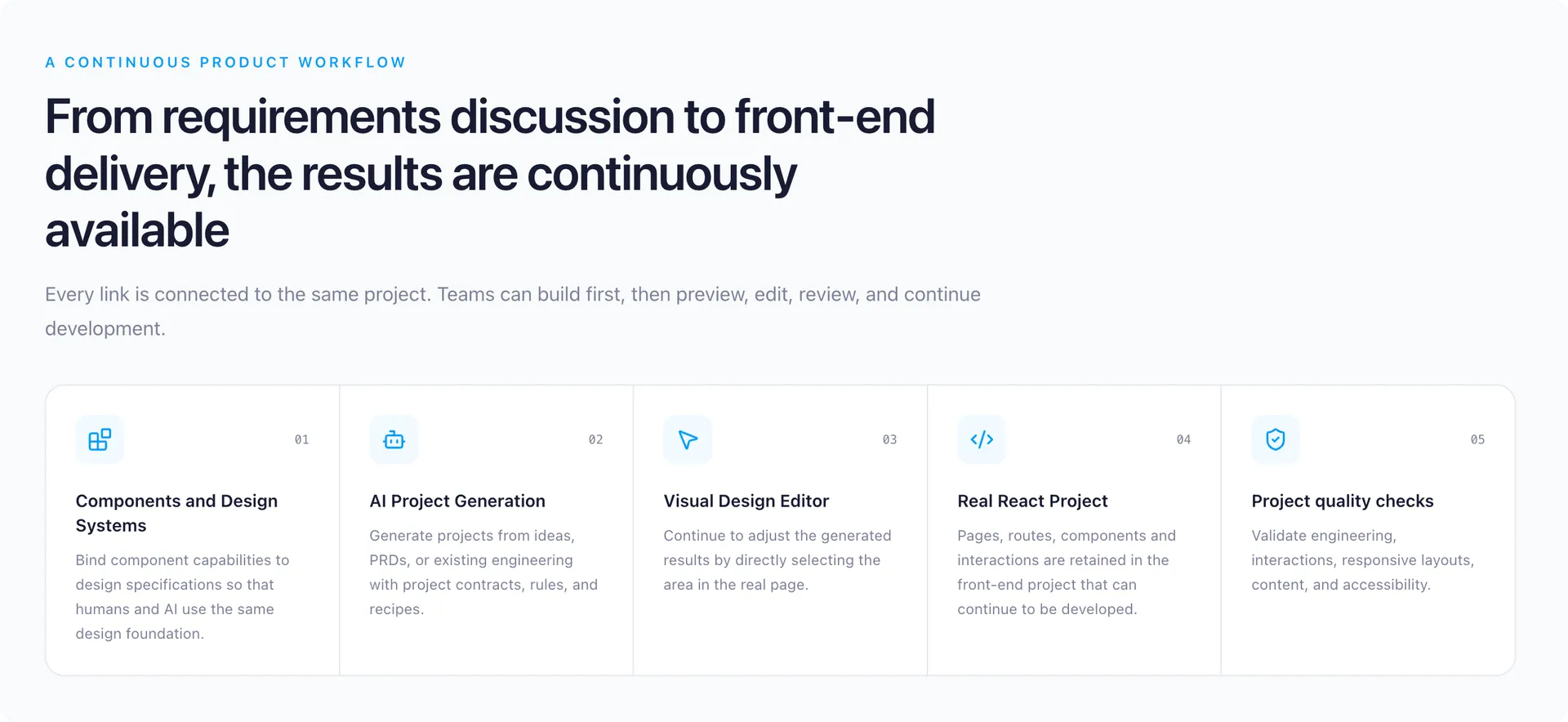
A project can begin with a product idea, an existing PRD, or an existing frontend codebase.
- Confirm users, business objects, page scope, and critical flows with AI.
- Define a project contract for pages, states, interactions, and responsive tasks.
- Generate business screens from the design system, product rules, and live project context.
- Preview, edit, and validate the result inside a real React project.
- Continue with APIs, permissions, testing, builds, and deployment.
Every step acts on the same project, keeping requirements, design decisions, and code connected.
Generate with Rules and Real Components
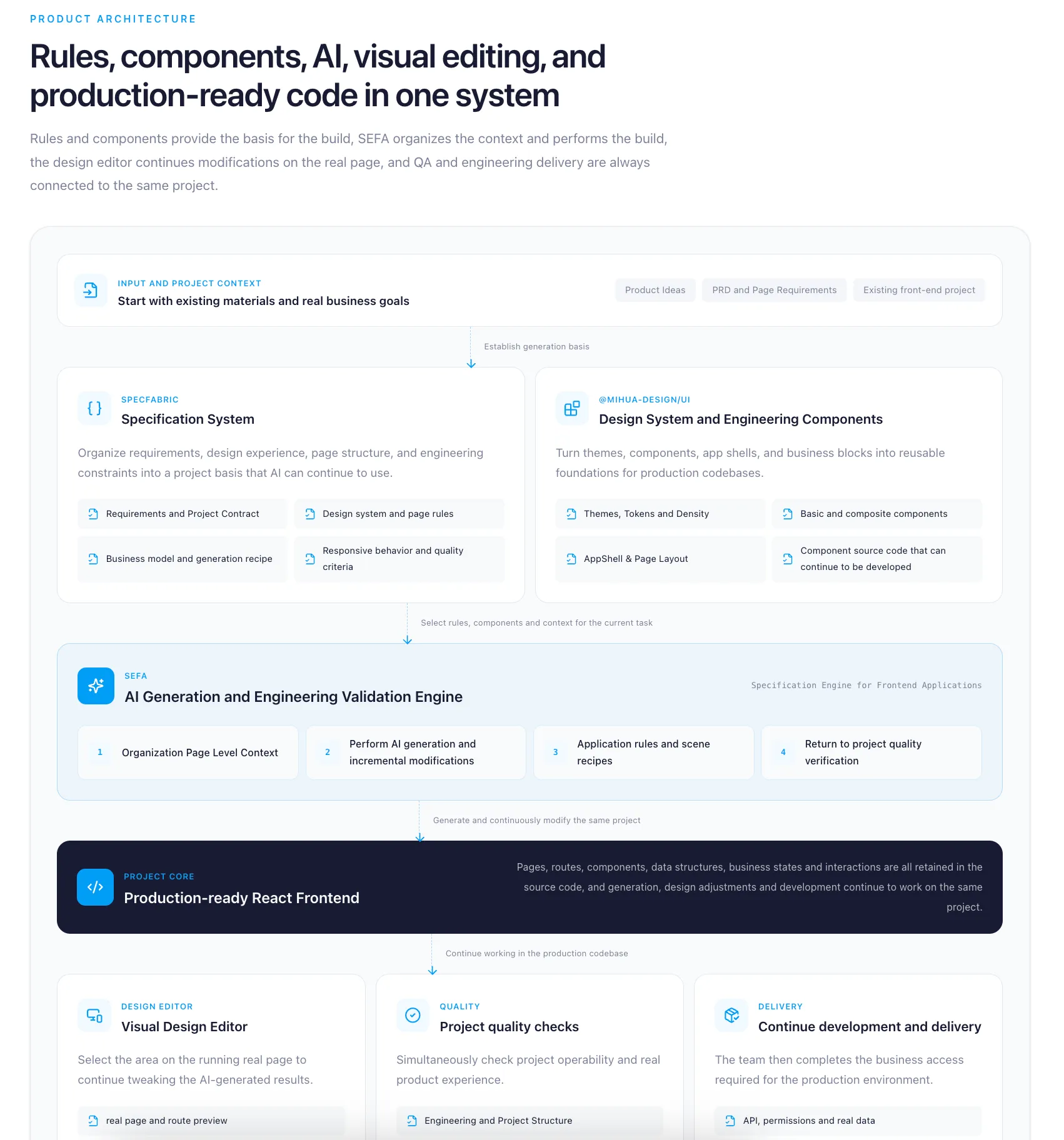
Three core capabilities establish a reliable generation foundation:
- @mihua-design/ui provides themes, components, application shells, and business blocks.
- SpecFabric organizes requirements, design standards, page rules, business patterns, and validation criteria.
- SEFA prepares page-level context for the current task and coordinates generation, incremental changes, and quality validation.
AI receives the rules and components relevant to the current page, reducing noise while keeping a multi-page product coherent.
From a Screen to a Complete Business Product
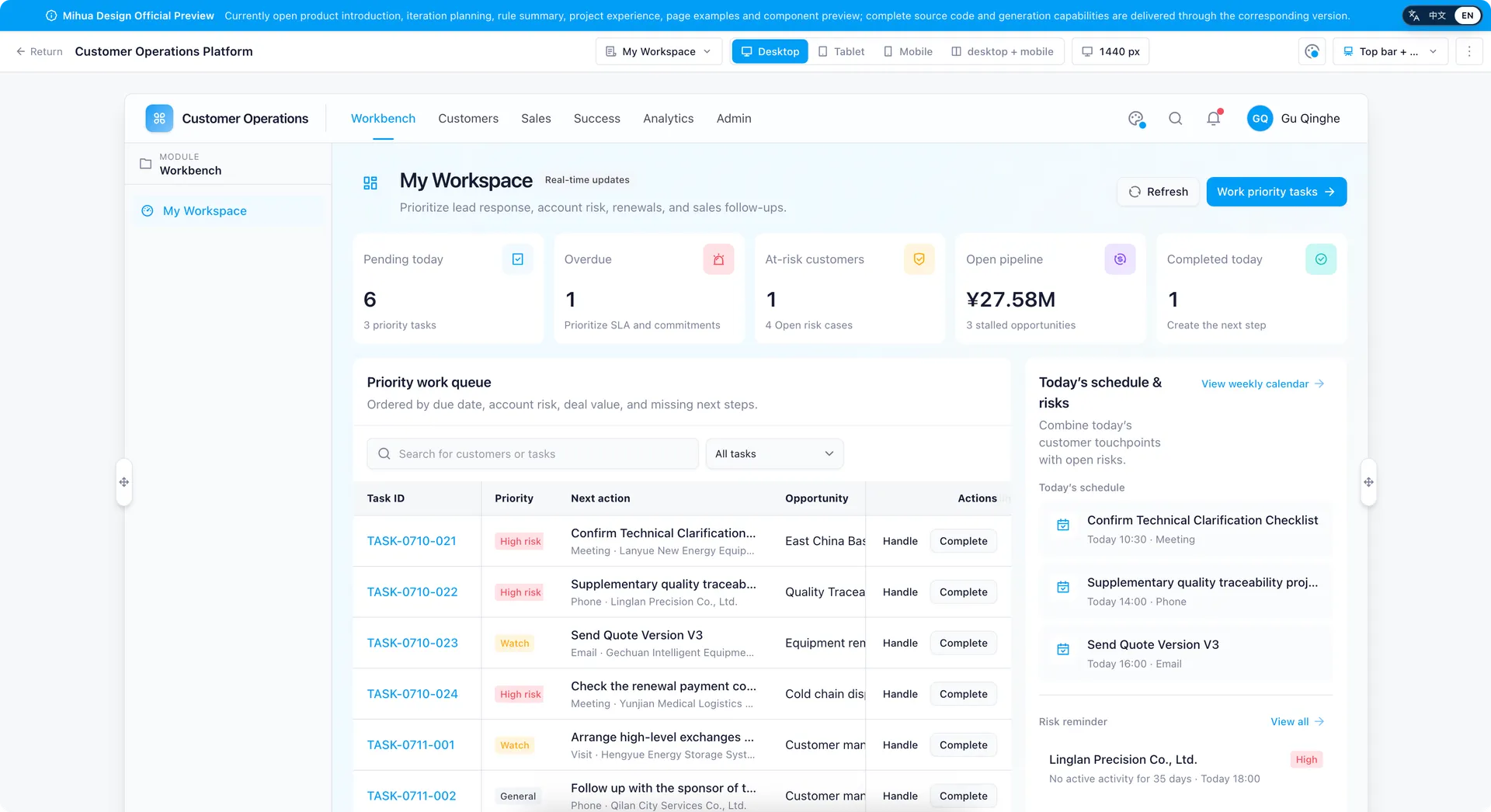
Mihua Design structures page collections, navigation, shared data, business states, and cross-page workflows as one product.
The public Customer Operations example contains 20 pages and 10 runnable cross-page workflows across leads, accounts, opportunities, activities, approvals, customer success, and operating analysis.
The result can support requirement reviews and pre-sales demonstrations, then continue as an engineering starting point.
Continue Editing on the Real Page
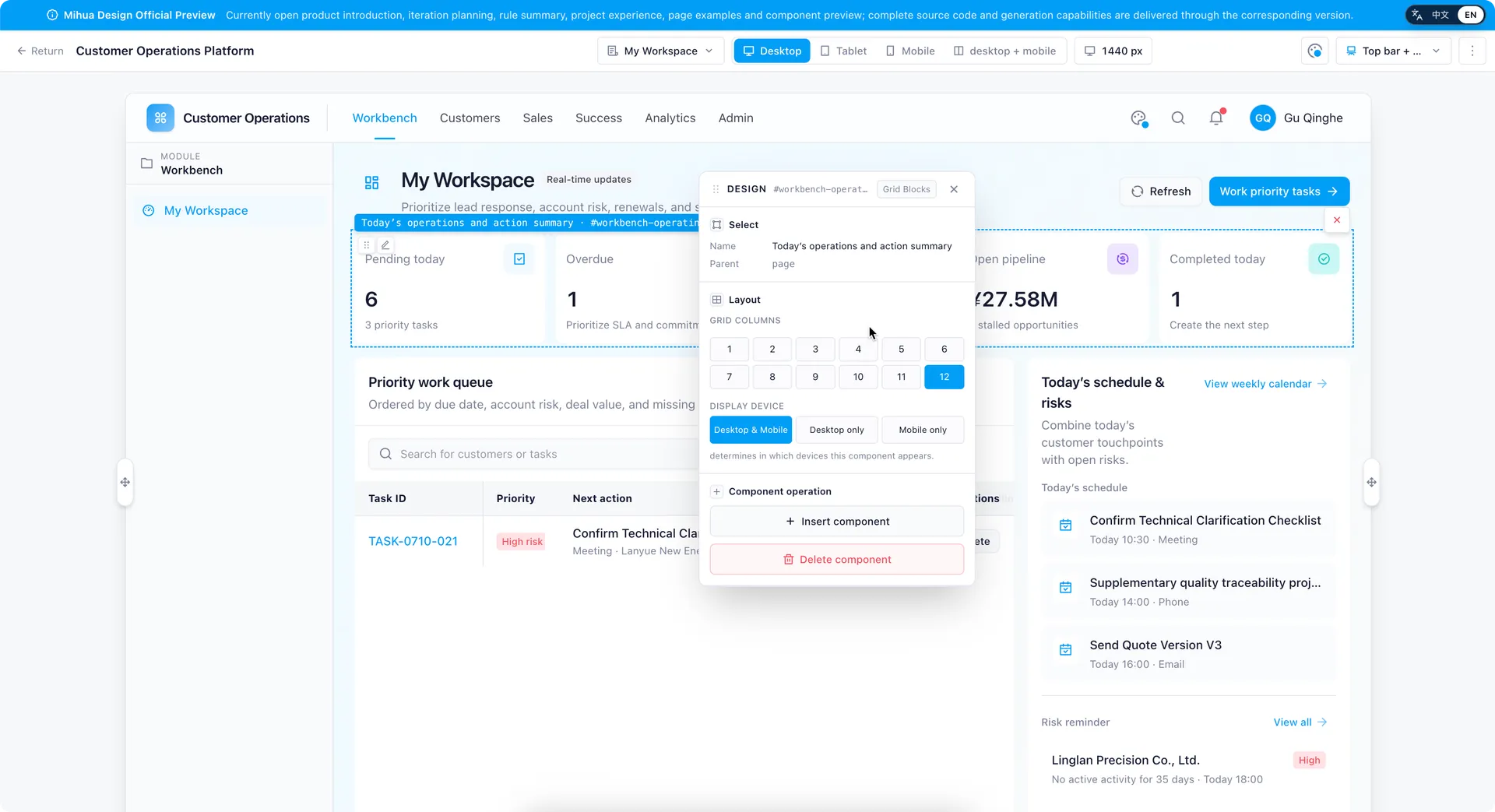
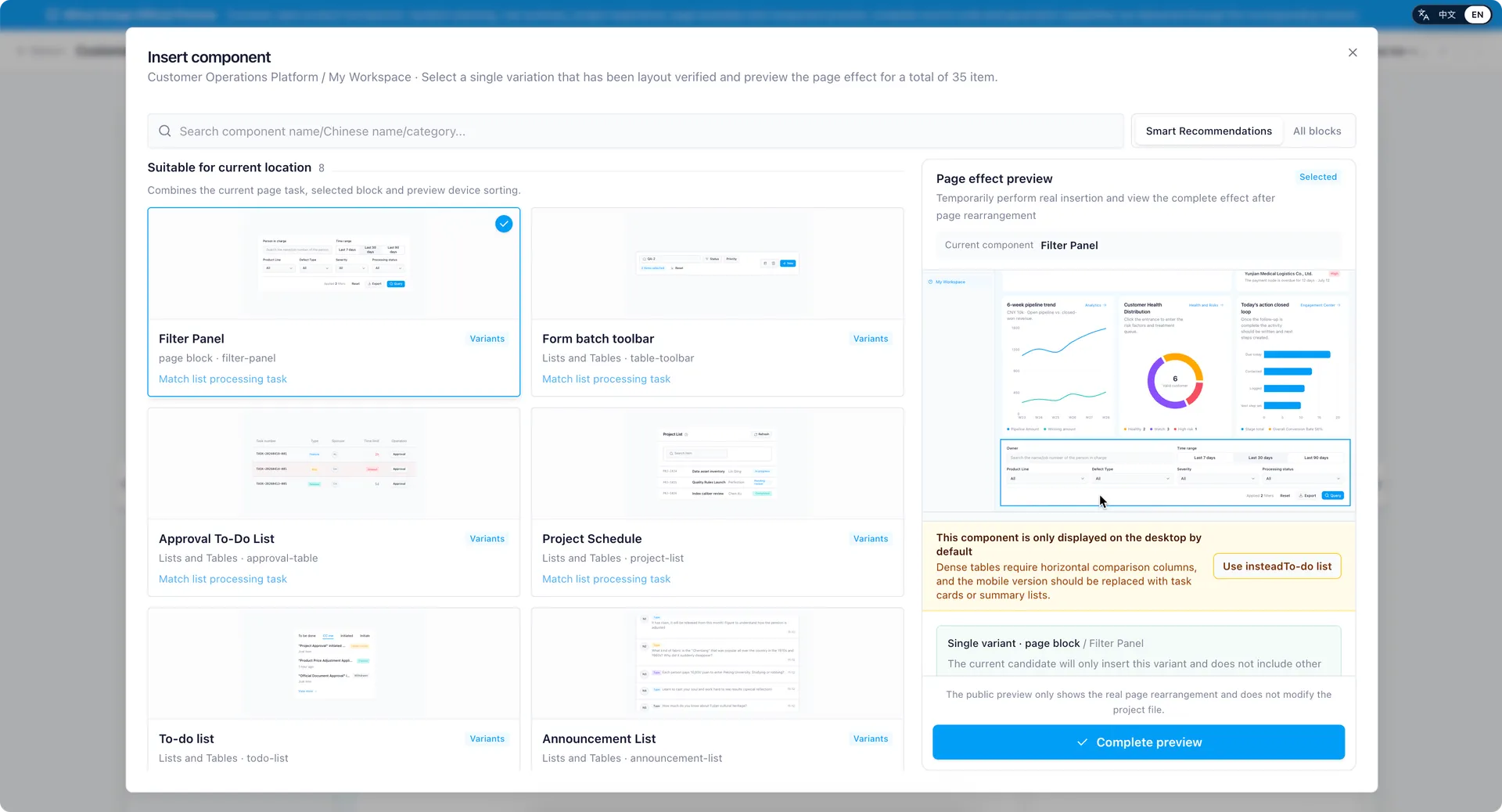
After generation, teams can continue working in the Mihua Design visual editor:
- Select and locate editable page regions.
- Insert, replace, move, or remove content.
- Adjust layout dimensions and common visual properties.
- Review desktop, tablet, mobile, and comparison views.
The editor opens the real project page, so changes remain connected to the source code and its business context.
Deliver a React Project That Can Keep Evolving
Mihua Design delivers a frontend project with pages, routes, components, themes, data structures, and business interactions.
Teams can continue with:
- Business APIs and production data.
- Authentication and authorization.
- Automated tests and production builds.
- Deployment, monitoring, and ongoing iteration.
Mihua Design focuses on generating, editing, and delivering the business frontend. Databases, backend services, and production operations remain specific to each implementation.
Who It Is For
- CRM, ERP, operations, finance, approval, and other enterprise applications.
- Turning a PRD into a clickable requirement-review prototype.
- Creating connected product demonstrations for pre-sales work.
- Bringing an existing design system and component library into an AI workflow.
- Adding pages or business modules to an existing React project.
Where to Start
Explore the public product site, AI generation pipeline, and Customer Operations workspace, then choose the source or implementation plan that fits your project stage.
Product site: Open the Mihua Design preview
Plans and delivery: View current pricing
If you already have a PRD, component library, or frontend project, include the project type, technology stack, and expected delivery scope when you get in touch.
Email: fan422601@gmail.com
Video introduction: Watch the Mihua Design video